← Wynter Updates
Ask your test results the next question
Ask a finished Wynter test questions in plain words. Dig into a result without reading every answer again.


A test is done. You read the results. Then a new question shows up.
Maybe you want to know which objection came up most. Or how two groups reacted to the same page. Or what buyers said that backs up a pattern you think you see.
Until now, that meant going back through every answer by hand. That takes time, and it is easy to miss things.
With Chat with data, you ask the test instead. Type a question in plain words and you get an answer based on that test's results.
Use it right after your first read of the results. That is when the follow-up questions come up, and when the answers help you decide what to change.
A few questions to start with:
Each chat is about the test you have open.
We made Chat with data more reliable.
Chat with data works on finished tests. The tab shows up on supported tests, so you may not see it on every study. It is in beta, and there are daily usage limits.
Chat with data helps you look through your results faster. It doesn't replace the evidence. Treat each answer as a starting point and check it against the results before you act on it.
It doesn't run new research or reach new buyers. If a question needs fresh answers, run a new test.
Open a finished test in Wynter and click the Chat with data tab. Ask the one question that matters most for your next decision.
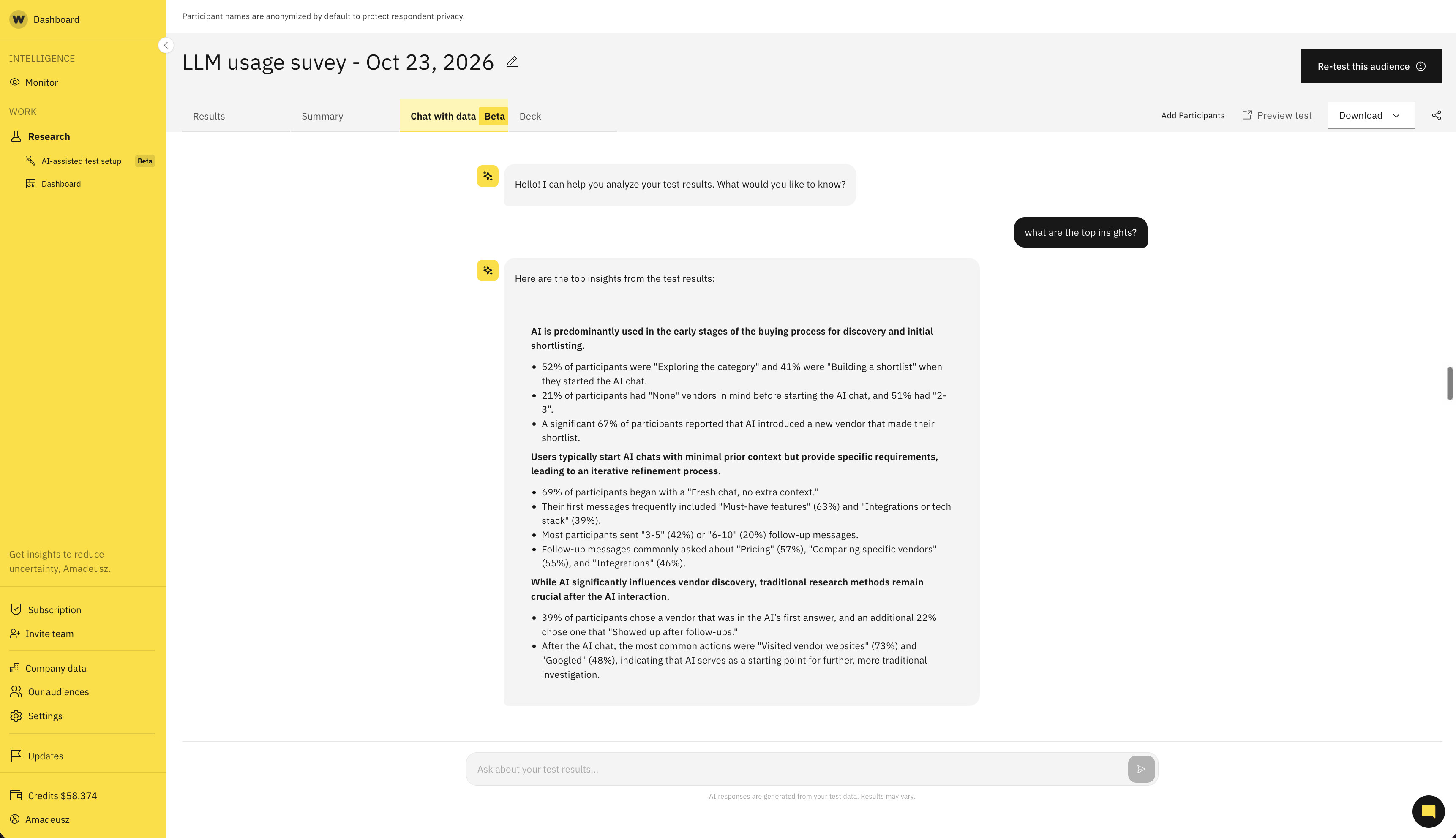
Ask follow-up questions about a finished test and explore insights without rereading every response.