← Wynter Updates
Send a Wynter test for approval before you pay
Share the actual test, audience, decision context and cost with a stakeholder before payment and launch. They can review, approve or return it inside Wynter.


A test can be ready to launch while the decision to spend is still waiting on someone else.
When approval happens in Slack, email or a separate document, the reviewer is looking at a copy of the decision instead of the actual research setup. Approval Flow keeps the review attached to the test before anyone pays or launches it.
Approval Flow currently works when you create a test through the manual setup flow. It is not yet available in AI-assisted test setup. We’re working to enable it there.
The approval request brings the decision context and the actual research setup together.
Audience, sample size, methodology and current cost are part of the review.
Optional hypothesis, expected learning and business impact explain why the study matters.
The stakeholder can approve, reject with a note, or open the full test before deciding.
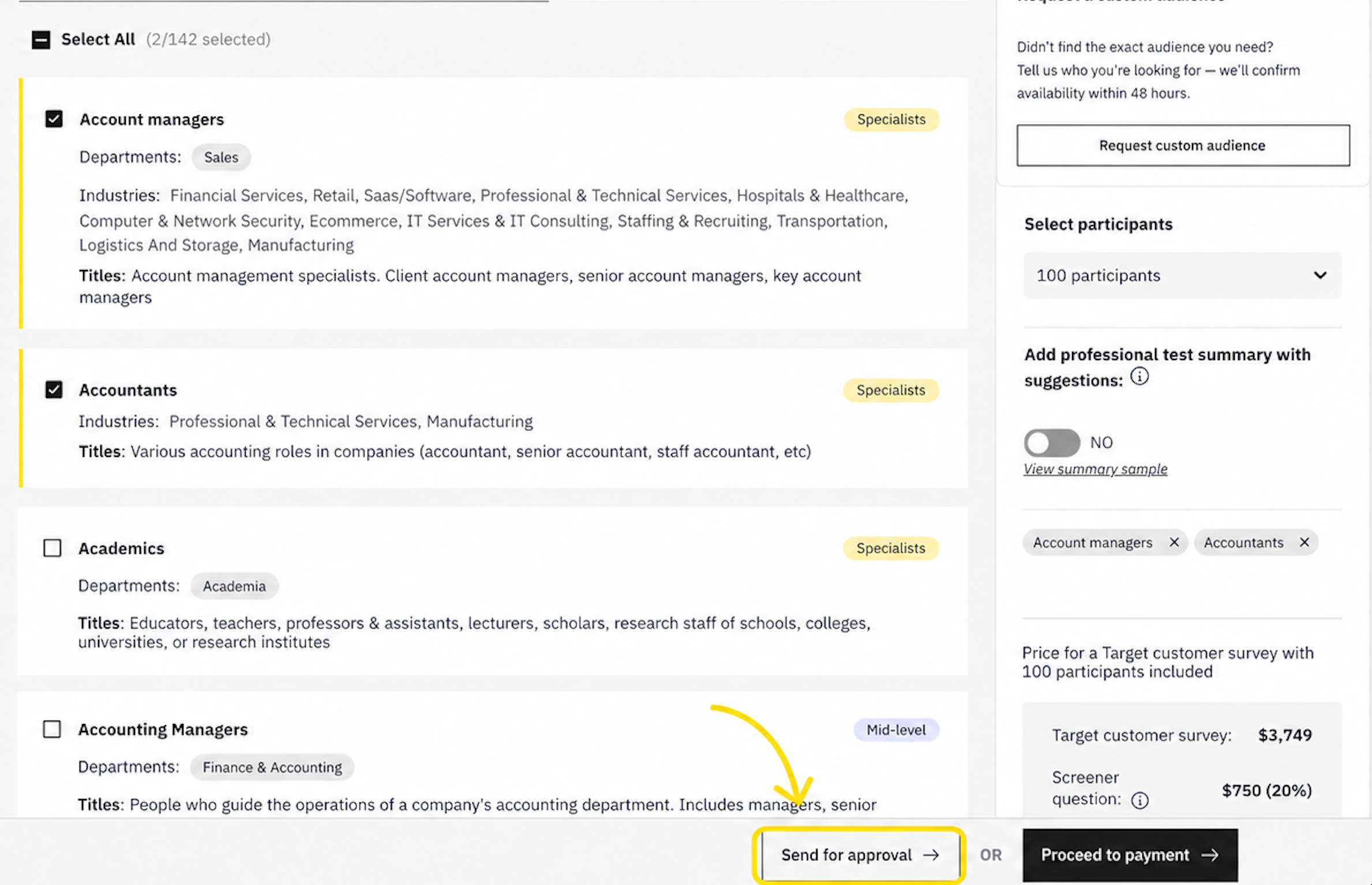
Send for approval sits alongside payment on the configured test, so stakeholder review happens before the spend is committed.
Configure the audience, sample, methodology and questions in the manual test setup. The current cost stays part of the test the stakeholder is reviewing.
From the pre-payment step, enter the approver’s email. You can also add the hypothesis, expected learning and business impact so the reviewer knows what decision the research is meant to support.
Before sending, review the decision context together with the audience, sample size, methodology and cost. If something is wrong, go back and change the test before asking for approval.
The approver gets an email that opens the decision brief in Wynter. They can approve, reject with a note, or open the full test and review the setup before deciding. If they are not already on the team, they are invited first and then taken to the review.
After approval, the creator can continue to payment. If the approver pays for the test themselves, that counts as approval. If they reject it, their note stays with the request so the creator can adjust the setup and send it again.
Wynter keeps the approval state on the test: pending, approved, rejected or expired. A pending request can be cancelled. A rejected request can be resent with the previous context prefilled. Requests expire after 14 days if nobody responds.
Approval Flow currently works in the manual test setup. It is not yet available in AI-assisted test setup; we are working to enable it there.
Within the manual flow, Approval Flow is for paid draft tests using a Wynter audience. It is not offered for freemium tests or custom-audience tests. A test can have one open approval request at a time, and you cannot send the request to yourself.
Use Approval Flow when a budget owner needs to approve the spend, when a manager reviews research prepared by a teammate, or when you simply want a second stakeholder to check the audience, methodology and cost before launch.
Approval does not change the research itself. The audience, questions and methodology remain the test you configured. It adds a decision step before payment so the right stakeholder can review the actual setup before the study goes live.