Send a Wynter test for approval before you pay
The test is ready. Someone else has to approve the cost. They review it in Wynter, then you pay and launch. Same job.


Managers need spend control. Product marketers delay or skip useful tests when they do not know whether the audience, questions, or price have approval.
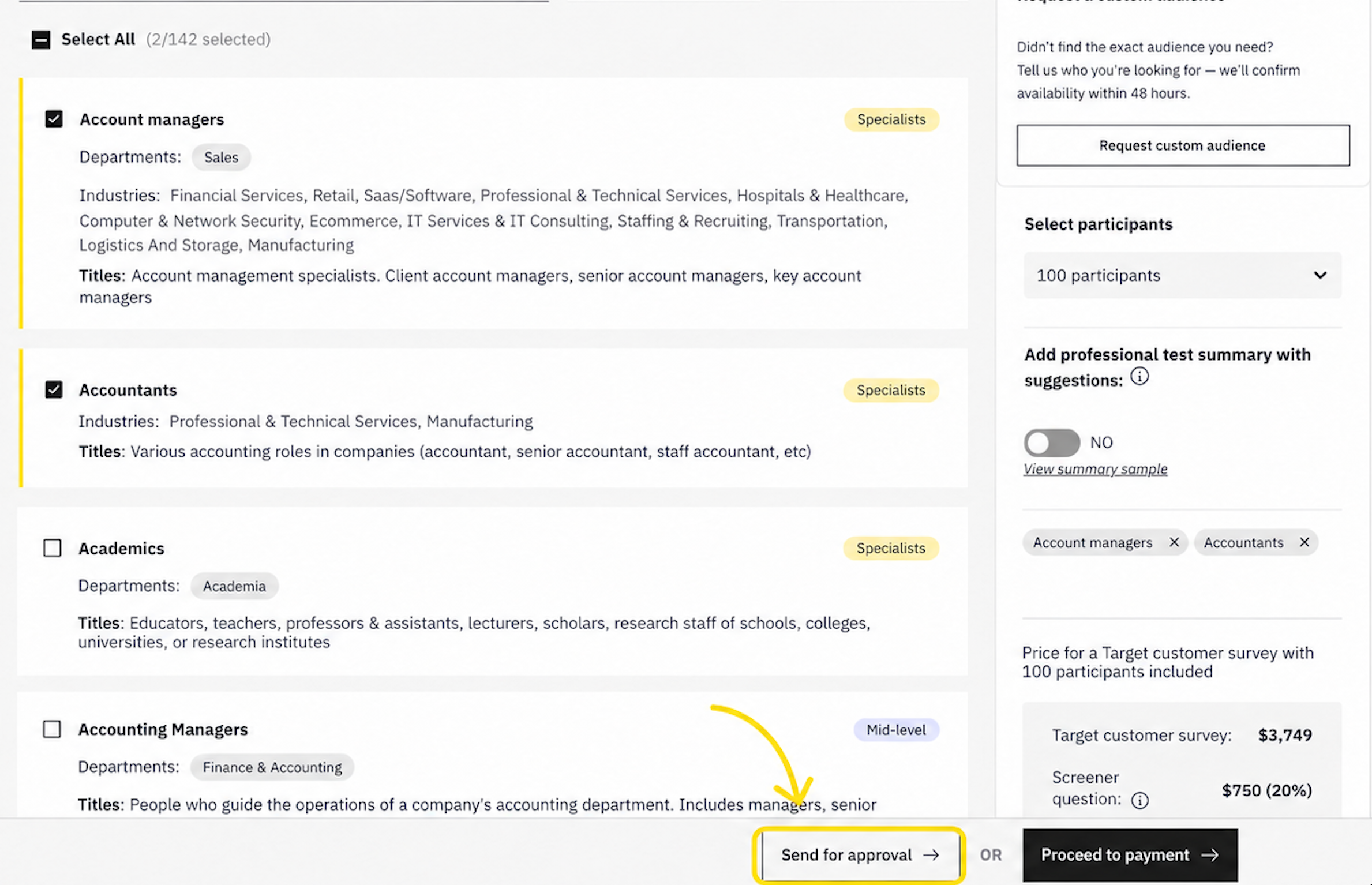
Send for approval lets you submit the configured audience, sample, questions, rationale, and price for an internal decision before payment.
Send for approval sits between setup and payment.
You build the survey or test you think you need. Audience, sample, questions, extras. The price is on screen. You send it to the person who has to sign it. You put the rationale on the request: what you are trying to find out, and what you will do with the results.
They see the test, the cost, and that note. Nothing launches until they approve. If they want a change, they send it back. You fix it and send it again.
Managers keep control of spend. Marketers stop waiting for a yes.
This is not Wynter reviewing the test. It is your team’s yes before anyone pays.
One person owns the budget. A few teams sit on the same Wynter account. Whoever pays, often a super admin, reviews the test and the cost before anyone hits pay.
A manager and their reports. Direct reports set up the surveys and tests they think they need. The manager approves, or sends it back with a note.
Two eyes on the test. Budget is not the only reason. You want someone else to check the audience, sample, and cost before launch.
If you pay for tests yourself and you do not need a second person, skip this. Proceed to payment.
The feature applies only to a paid test that is still in draft and uses a Wynter audience. It does not support free tests, custom-audience tests, requests sent to yourself, or tests that already launched.
This works for paid tests that are still in draft and use a Wynter audience.
It does not work on free tests. It does not work on tests that use a custom audience. You cannot send the request to yourself.
Audience, sample size, questions, extras, screeners. The price on screen is the price they will see. Mixed audiences and extra questions belong in that total. If the request and the test do not match, do not send it.
On the audience step you can Send for approval or Proceed to payment.
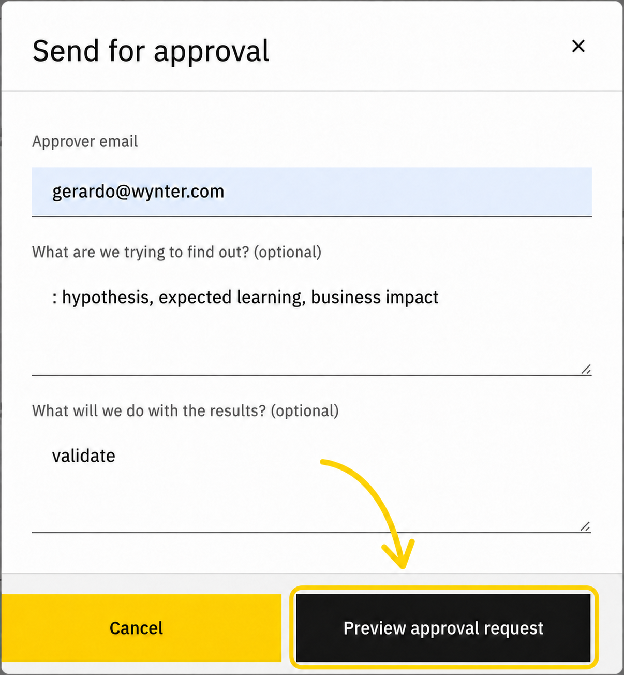
Send for approval and ask for their email. Put the rationale in the two short notes: What are we trying to find out? What will we do with the results?
Preview the request before you send it. You will see the notes, plus audience, sample size, test type, and cost. If the cost is wrong, fix the test. Then send.
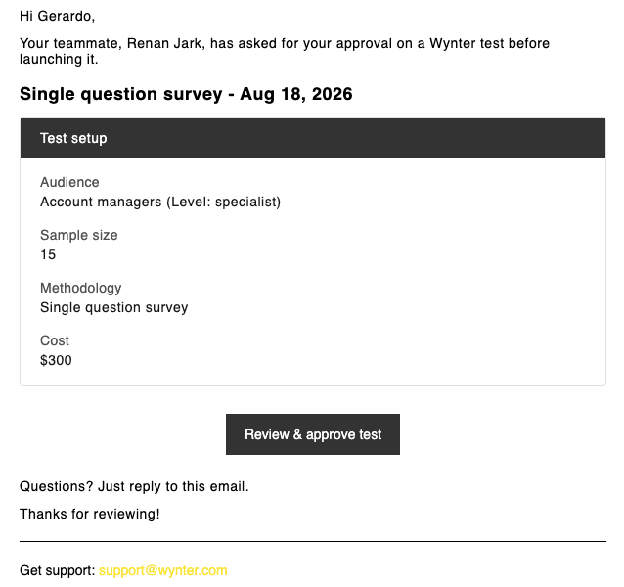
They get an email with your notes, plus audience, sample size, test type, and cost.
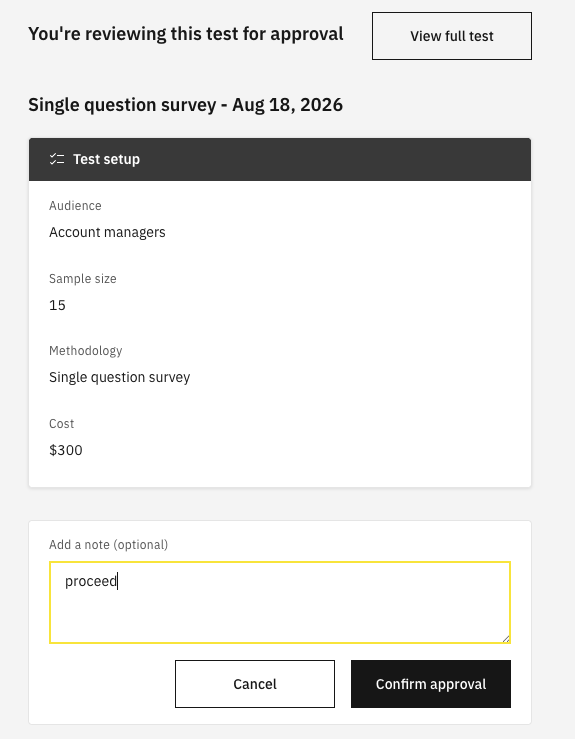
They click “Review & approve test”. That opens the request in Wynter. If they do not have an account yet, they create one. Then they approve or reject. They can also open the full test and check the questions, audience, and price.
If you change the test after you send it, send the request again. The email they already got will not update.
The test shows “Approval pending”. No one can pay yet.
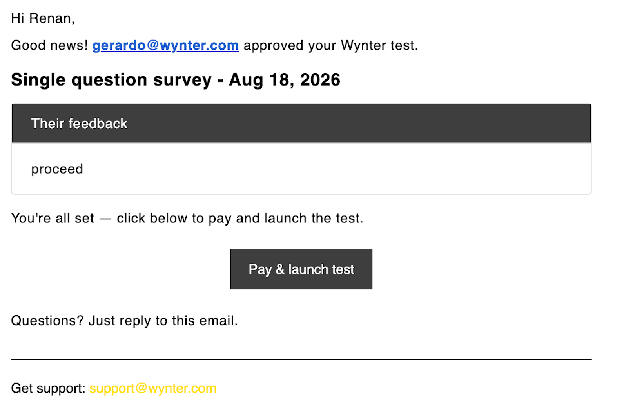
If they approve, you can proceed to payment and launch. If they are the person who pays, they can proceed to payment from the request.
If they reject, they can leave a note. You see it on the test. Change the setup. Send the request again.
Example: “Decision: choose the homepage value proposition for the September campaign. If buyers understand and prefer version A, ship it to the campaign page. If they prefer B or cannot explain either offer, revise the failed message layer before launch.”
Say the decision you need. They are not next to you when you set it up. Put the decision on the request.
Keep it short. If a screener or extra questions change the cost, that number has to show on the request. That is how they control spending.
It does not change who sits in the sample. You still target your role, seniority, industry, and company size. You still get identity-verified B2B buyers.
It does not change speed after you pay. Once the test launches, results still come back in 12-48 hours.
If someone else has to approve the cost, send for approval instead of sitting on a finished test. Put the hypothesis and the price on the request. Wait for the note. Then launch.


